マッチングサイトのユーザーの投稿を承認制にするには?

よくある質問
マッチングサイトを購入させていただきました。
ユーザーの投稿を承認制にするにはどうすればよいでしょうか?
回答です
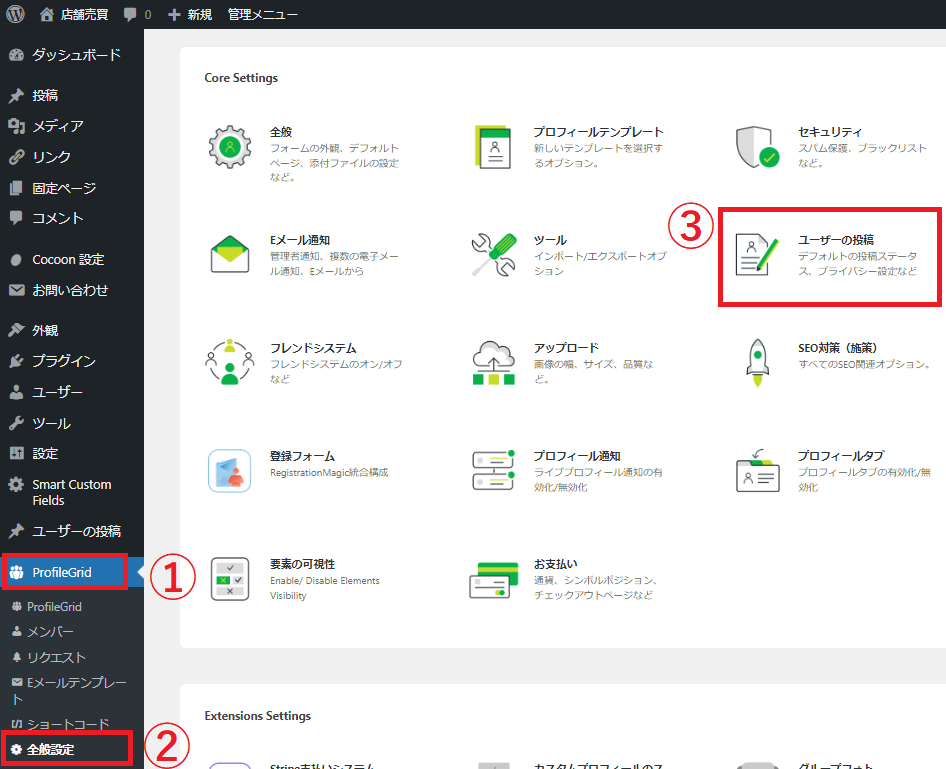
管理画面>①ProfileGrid>②全般設定>③ユーザーの投稿 コチラでお好みに設定出来ます!
 

デフォルトの状態を「公開済み」から「保留中」または「下書き」へと変更してください。
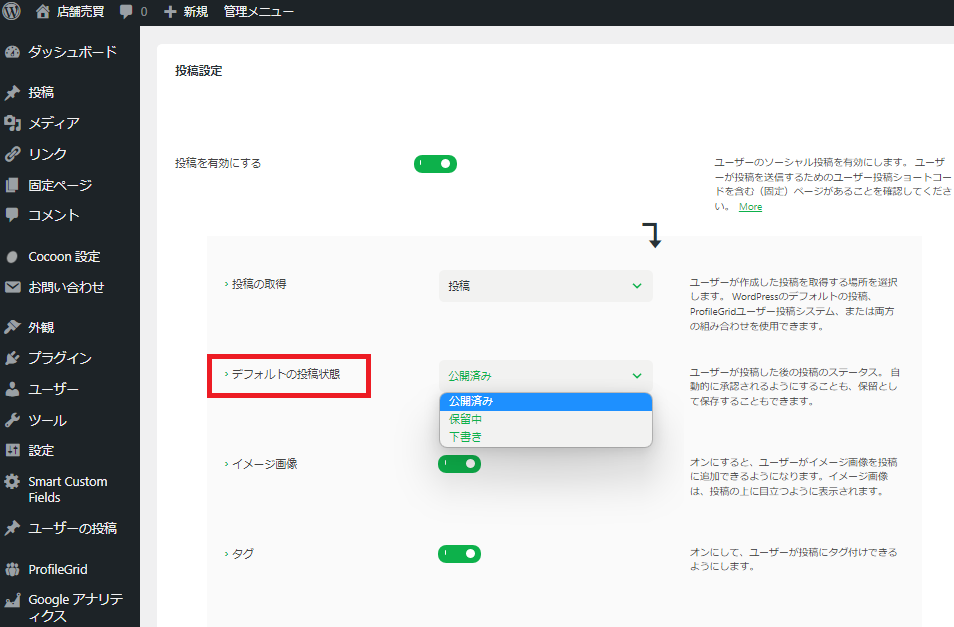
 

「保留中」または「下書き」へと変更する事で、WP管理画面にユーザーの投稿の「保留中」または「下書き」の新着情報が表示されますので、管理者が承認する事で正式に投稿されるようになります。

This website stores cookies on your computer. These cookies are used to provide a more personalized experience and to track your whereabouts around our website in compliance with the European General Data Protection Regulation. If you decide to to opt-out of any future tracking, a cookie will be setup in your browser to remember this choice for one year.

Accept or Deny