
ECサイトのデザインを変更するには

ECサイトテンプレート
管理人
サイトのデザインを変更する方法を解説します。
以下をご覧ください。


サイトのデザインを変更するには

サイトのデザインを変更するにはCSSを変更します。
当WordPress ECショッピングサイトのテンプレートのデザインを変更するには

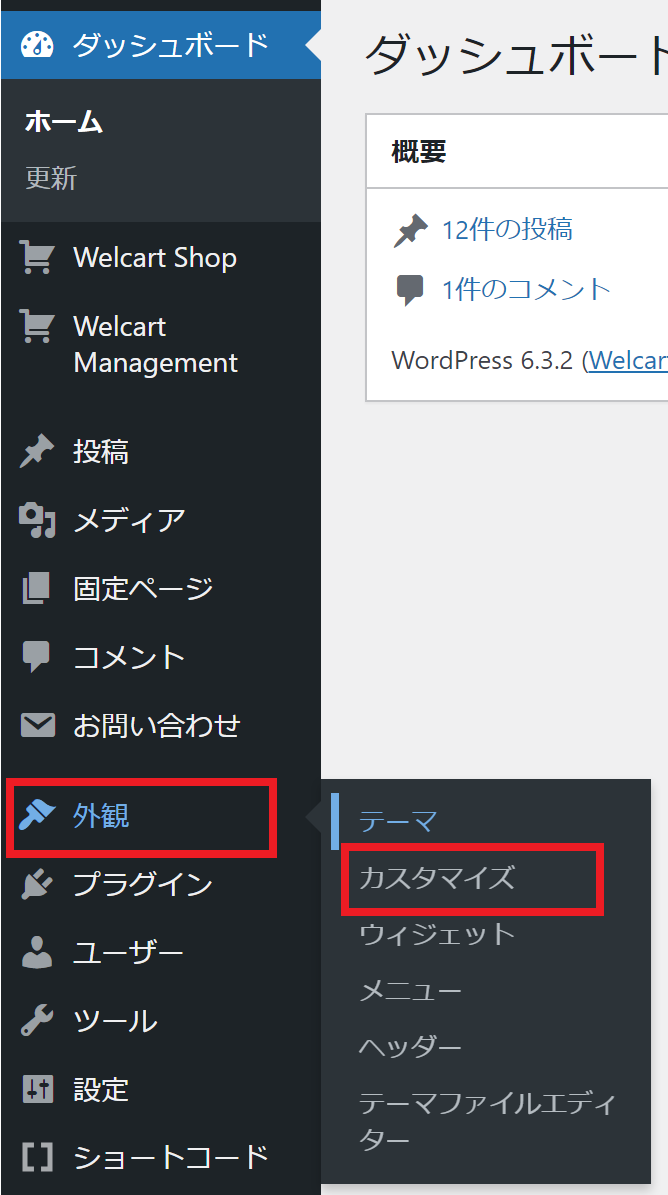
WordPress管理画面の「外観」>「カスタマイズ」をクリックします。
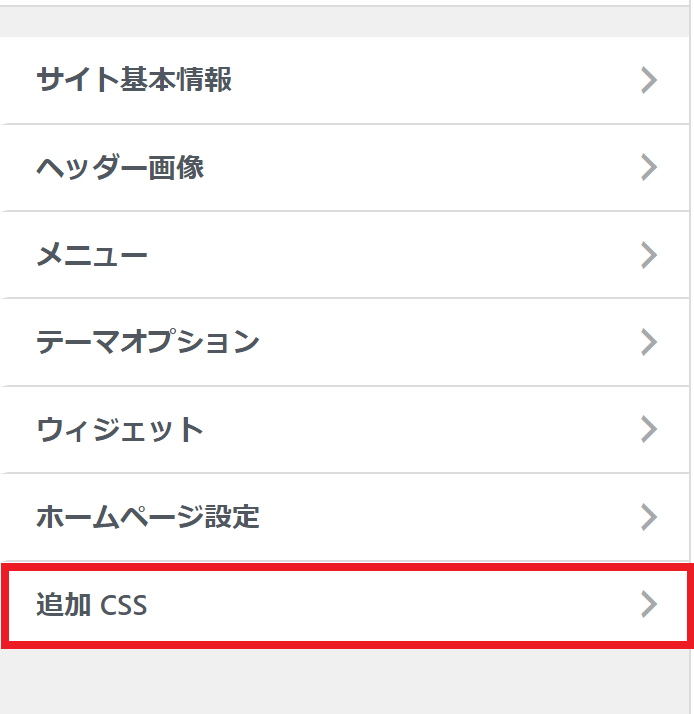
次の画面で「追加CSS」をクリックします。
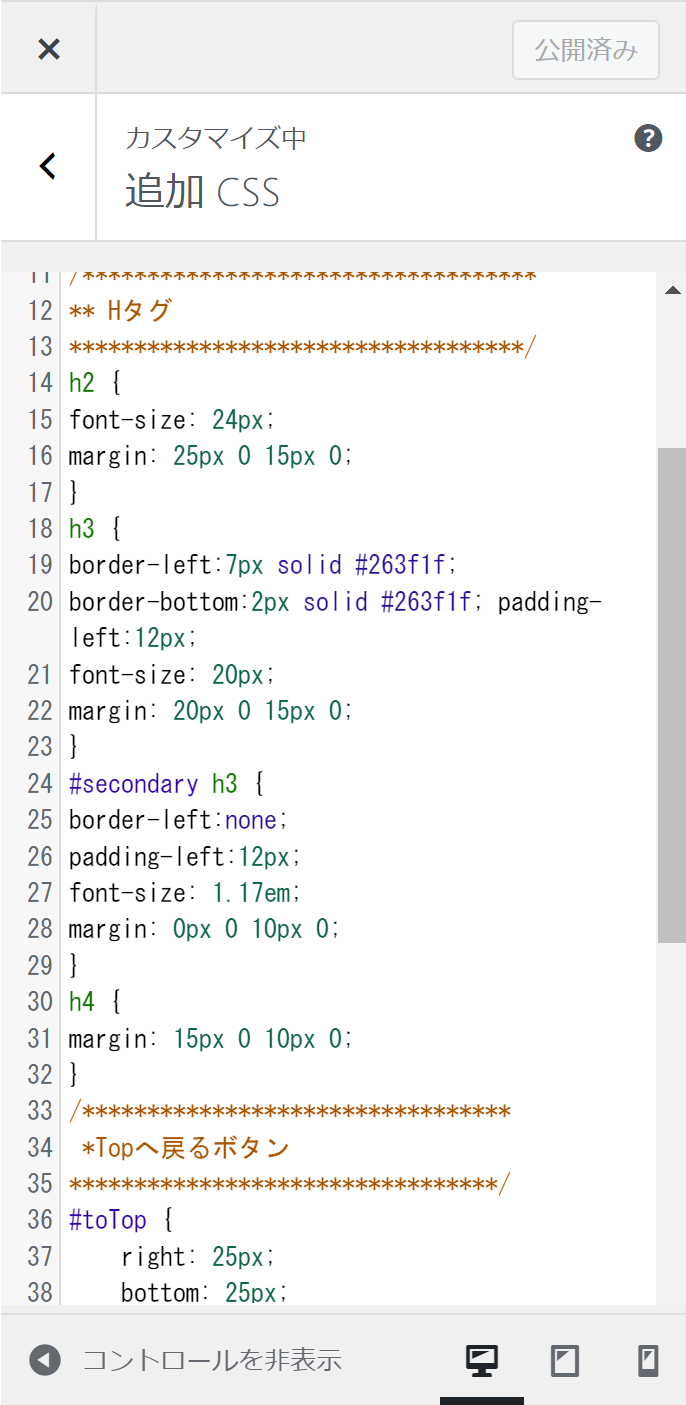
「追加CSS」の中にはデフォルトテーマより、編集した部分が入っています。

(これを全て消すとデフォルトのテーマに戻ります。)
コチラに、変更したいデザインの内容を追加、編集してください。
CSSの使い方が分からない場合はGoogle検索してネット上の情報から勉強してください。
勉強が嫌で、誰かにサイトのデザインを変更を依頼したい場合はコチラをご覧ください。

This website stores cookies on your computer. These cookies are used to provide a more personalized experience and to track your whereabouts around our website in compliance with the European General Data Protection Regulation. If you decide to to opt-out of any future tracking, a cookie will be setup in your browser to remember this choice for one year.

Accept or Deny